
Share · Keepsake Pages
Your publication. Your audience. No platform in between.
A note captured this morning becomes an article published tonight, at keepsake.place/@you. Readers subscribe, and Keepsake emails them your writing. No likes, no algorithm, no noise.
One click — you're in. No credit card. 30 days free.
From spark to the world.
- Note
- Draft
- To review
- Ready
- Published
Why I still write by hand
keepsake.place/@camille
Camille's Notebooks
Why I still write by hand
The keyboard is faster than thought. The hand forces it to choose.
From spark to the world.
Sound familiar?
Your best writing is asleep at the bottom of your notes
Posting on social media means writing for an algorithm
Your followers belong to the platform, not to you
A blog to maintain, a newsletter on the side: two more tools
From a note to your readers' inbox
1
Capture
The idea lands in a QuickNote, like everything else. Nothing to decide in the moment.
2
Draft
When it ripens, turn it into a draft. Draft, To review, Ready: it moves at your pace.
3
Publish
One gesture and it lives on your Page, at its own address, with its RSS feed.
4
Send
Your subscribers get it by email, weekly or daily — your call.
A real example
A calm, well-set corner of the web. Yours.
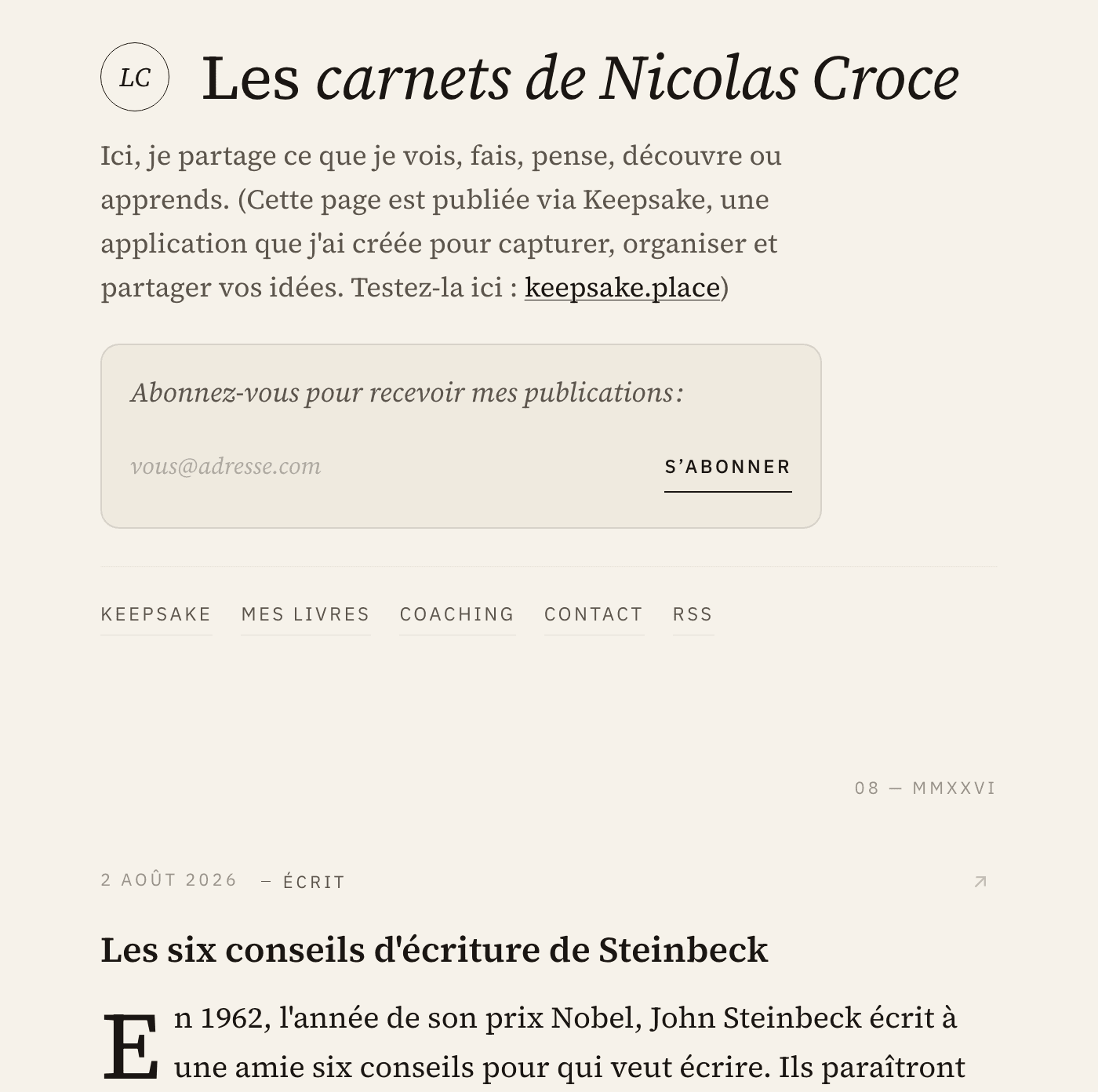
This is the Page of Nicolas, the founder. His notebooks on photography, writing and reading, published from his notes — without ever opening another tool.
Three themes (Ivory, Paper, Night), four accents, photos that arrange themselves in a grid, a drop cap, generous margins. Your ideas, presented with respect.
What you get
Everything you need to publish and gather readers. Nothing that pushes you to post more than you want to.
Your own address
keepsake.place/@you — a real page, indexed by search engines, that you can share anywhere.
A subscriber list that's yours
Readers subscribe by email. The list belongs to you: export it whenever you like.
An email letter
Weekly or daily, sent by Keepsake with your new pieces. No extra cost.
Subscribers you recognize
Someone you know subscribed? Their contact profile says so: “Subscribed to your Page since…”.
An RSS feed
For readers with their own reader, and for connecting your publication to anything else.
Photo grids
Two to five images arrange themselves, each in its own shape. Click to enlarge.
One note. Every destination.
What you write in Keepsake doesn't have to stay there.
Your Keepsake Page
A calm space for your writing, with an RSS feed and email subscribers.
Your WordPress blog
Send a note to the blog you already have, as a draft or published, images included.
Your social accounts
Via Typefully: X, Threads, Mastodon, Bluesky, LinkedIn and Substack Notes.
Your letter
Readers receive your new pieces by email, at the frequency you choose.
Everything starts as a draft. Nothing goes public without you.
A slow web for your voice.
A Keepsake Page isn't a social network. It's an address, calmly updated, that looks like you. Readers don't come to scroll a feed: they come because you told them there was something worth reading.
The weekly habit
Once a week, reread what you've noted. Pick one or two ideas worth sharing. Publish them. Your Page grows at the pace of your real life, not an algorithm's.
Your first published note, tonight.
30 days free. No credit card. Then €9/month or €89/year — cancel anytime.
See pricing →One click — you're in. No credit card. 30 days free.