
Contact Profiles: Your Relational Memory
Contact Profiles are the heart of Keepsake. Every note, task, and entry can be connected to a person — building a living history of your relationships. It's not a CRM. It's your relational memory. Discover the philosophy behind Contact Profiles.
What is a Contact Profile?
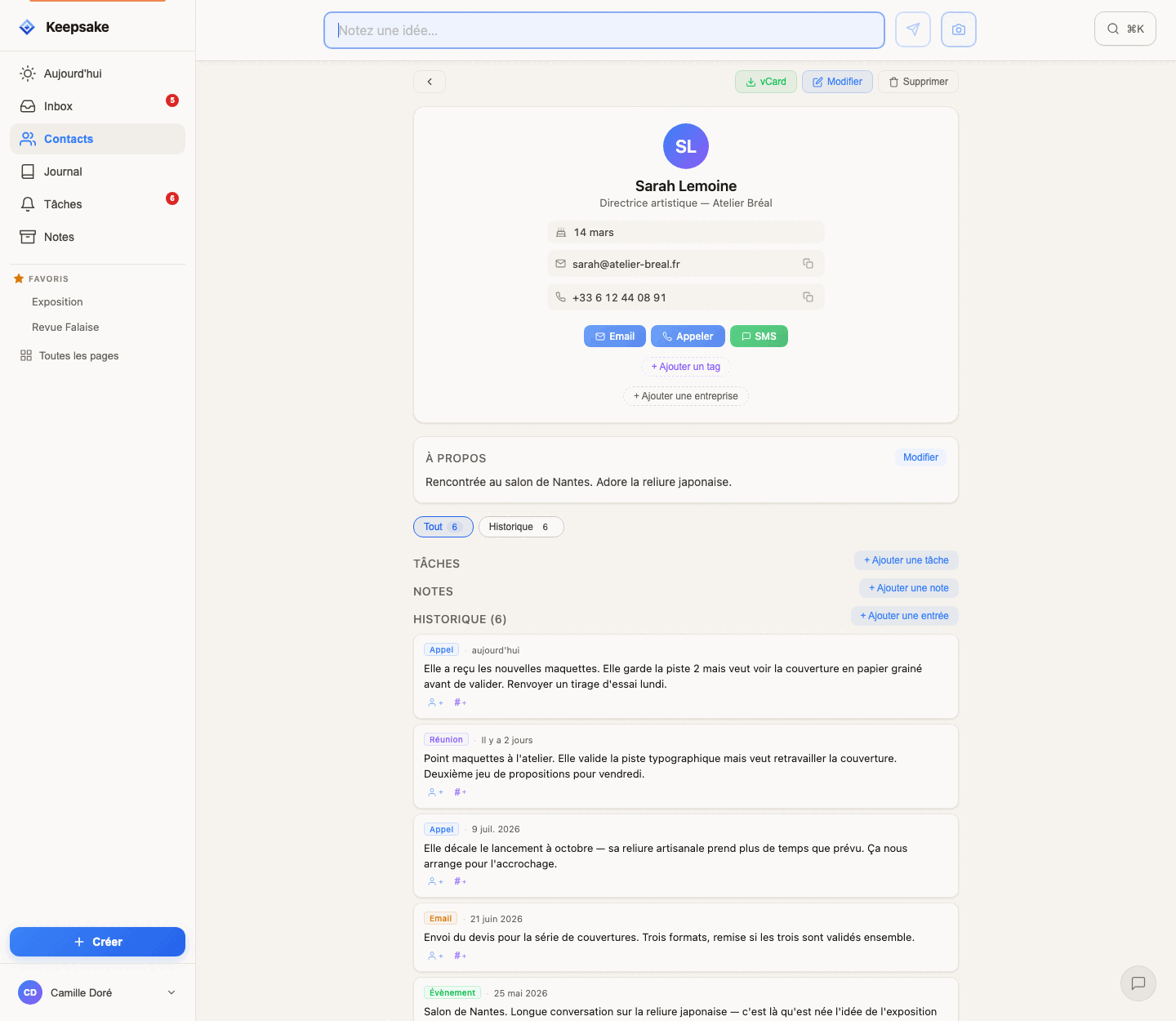
Create a contact
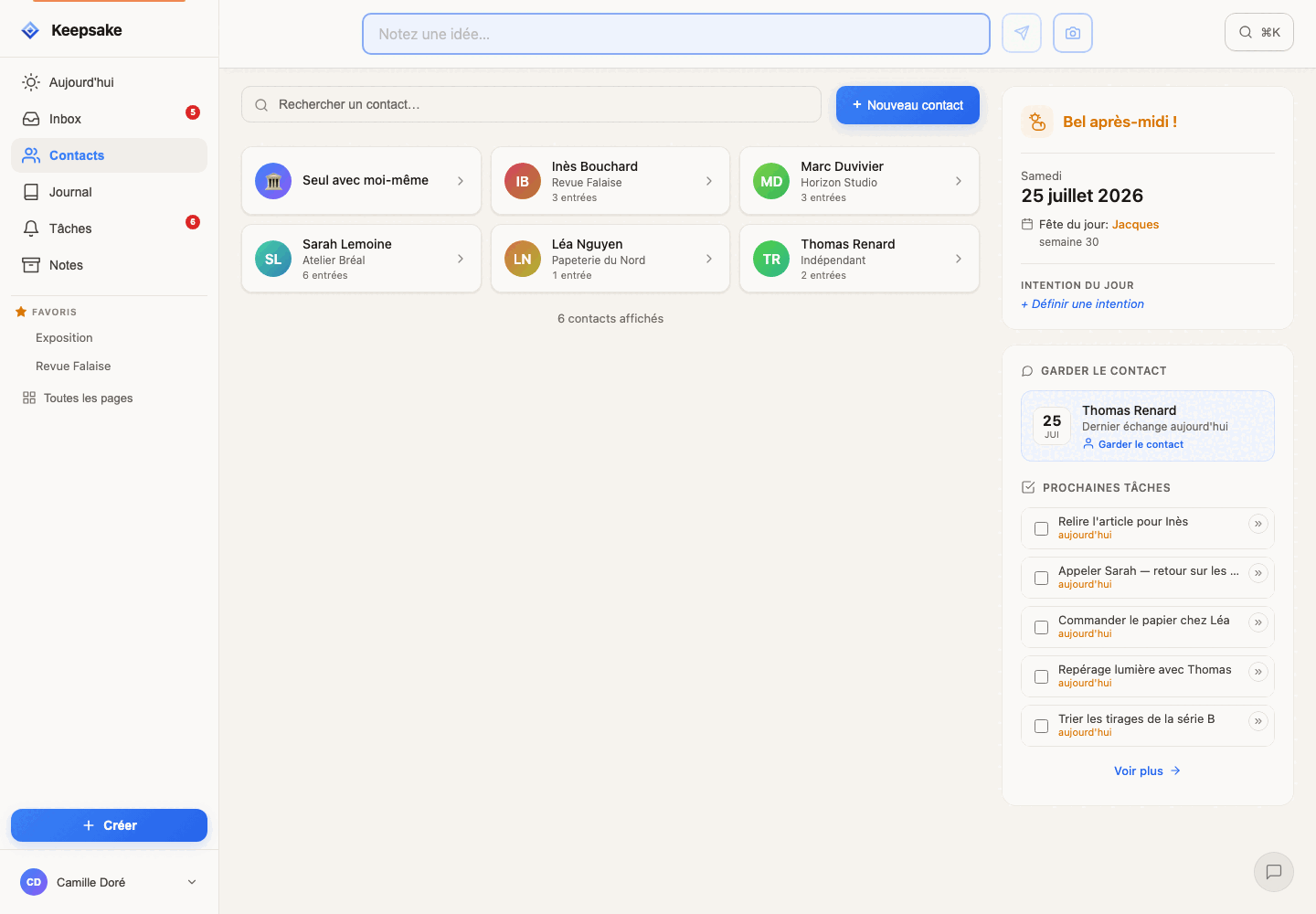
Go to Contacts
Navigate to the Contacts section from the main menu.
Tap "+" to create
Enter the person's name. You can add phone, email, birthday, and any other details at any time.
Start building the relationship
Log your first interaction — a call, a meeting, a message, a log. Every entry adds to the relationship timeline.
Tip
Need to add many contacts at once? You can import from a vCard file (.vcf) exported from your phone or another address book. Open the User Menu (your name, bottom left on desktop — or top right on mobile) and select Import a vCard. See our Import & Export guide for detailed instructions.
Log interactions and build history
Open a contact's profile
Navigate to the contact you want to update.
Add an entry
Describe what happened: "Had lunch, discussed their new job" or "Quick call about the project update." Keep it natural.
Check the timeline
All entries appear in chronological order. Before your next conversation, scroll through the history to remember what you talked about last.
Tip
You can also create entries from the QuickNote bar. Just mention the contact with @ and the note will appear on their profile.
Connect notes and tasks to contacts
Type @ in any note or task
A list of your contacts appears. Select the person. The note or task is now linked to their profile.
View linked content on the profile
Open the contact's profile to see all notes, tasks, and entries that mention them — everything in one place.
Tip
Mentions work everywhere: QuickNotes, tasks, and entries. It's the simplest way to weave your contacts into your daily workflow.
Birthday and date reminders
Add a birthday
Open the contact's profile and add their birthday in the personal details section.
Get reminded
Birthdays appear in your Day view 14 days before the date, giving you plenty of time to plan. On the day itself, a special notification appears.
Tip
Keepsake also shows the name day of the day ("fête du jour") — a nice touch if you want to send a thoughtful message to someone whose name matches.
Browse your relationship journal
Open the Journal
Navigate to the Journal view from the main menu.
Scroll through your history
See all interactions, newest first. Each entry shows who was involved, what happened, and when.
Tip
The Journal is great for preparing for a meeting. Search for a contact to see everything you've shared recently before catching up with them.
Visualize your network
Open Constellation
Go to User Menu → Settings → My Constellation.
Activate the feature
Enable the Constellation. You'll receive a unique link that you can open or share with others.
Explore your network
Rotate, zoom, and click on contacts to see interaction details. Filter by time period (30 days, 90 days, 1 year, or all).
Tip
People who appear together in your entries are connected by lines. This naturally maps the social clusters in your life — work colleagues, family, friend groups. The feature is still evolving — we'd love to hear your ideas!
Related guides
Company Profiles: Organize Your Business Relationships
Create company profiles in Keepsake, link your contacts, and see tasks, notes, and history for each organization in one place.
Getting Started with Keepsake
Set up your Keepsake account and start organizing your relationships, notes, and tasks in minutes. A step-by-step beginner guide.
Capture Ideas Instantly with QuickNotes
Learn how to use QuickNotes to capture thoughts, ideas, and reminders in seconds. Works offline, syncs automatically, and connects to your contacts.
Organize Everything with Tags & Pages
Learn how to use Tags & Pages in Keepsake to organize notes, tasks, and contacts into flexible projects. No upfront setup — projects emerge naturally from your content.
Tasks & Time Blocks: Plan Your Day Without Guilt
Learn how to manage tasks with Keepsake's unique time block system. Plan your day with sequential blocks instead of rigid schedules. Finish early? You're free. Need more time? Just shift.
Import & Export Your Data
Learn how to import contacts from other apps and export your Keepsake data. Your data belongs to you — take it anywhere.
Was this article helpful?
Something missing? Suggest an improvement
Ready to try Keepsake?
Start organizing your relationships, notes, and tasks today. Free for 30 days.
One click — you're in. No credit card. 30 days free.